How to Avail the Free Offer ?

Rupali
Last Update 8 dagen geleden
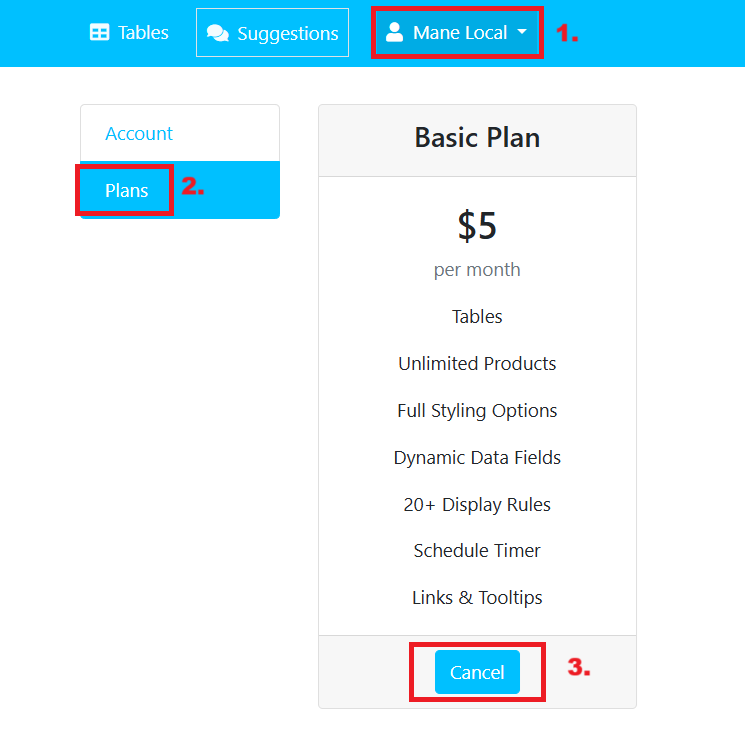
If you are already an existing user and are on a $5 basic plan, in order to switch to the free plan, follow the steps below:
- Open the App Dashboard: From your Shopify admin, navigate to the app and access its dashboard.
- Go to the Plans Page: In the dashboard, locate the Account section and click on the Plans page.
- Activate the Free Plan: Click the Cancel button under "basic plan". This action will deactivate your paid plan and automatically switch your app to the free plan.